Mail_Sender
📧 Email Sender Application
Email Sender Application is a Python-based desktop tool for sending emails via the SMTP protocol. It provides a simple and intuitive GUI built with tkinter that allows users to quickly compose and send plain-text emails.
📋 Features
- Graphical User Interface:
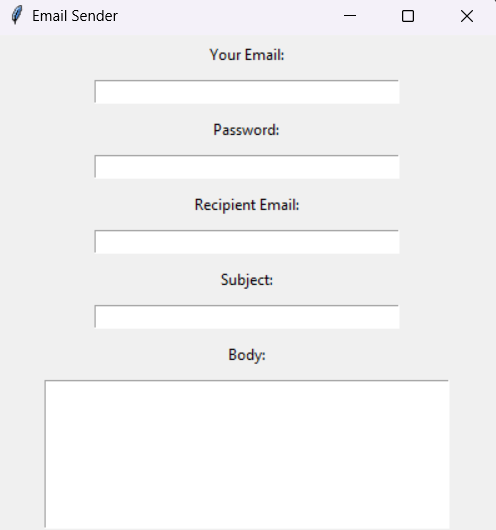
- Input fields for sender email, password, recipient email, subject, and message body.
- Button to send the email with a single click.
- SMTP Support:
- Uses Gmail’s SMTP server (
smtp.gmail.com) to send emails. - Compatible with any SMTP-supported email server.
- Uses Gmail’s SMTP server (
- Error Handling:
- Displays appropriate error messages for invalid inputs, connection issues, or failed email delivery.
- Alerts for missing fields or invalid email formats.
- Password Masking:
- Hides the sender’s password by default.
- Option to show/hide the password for convenience.
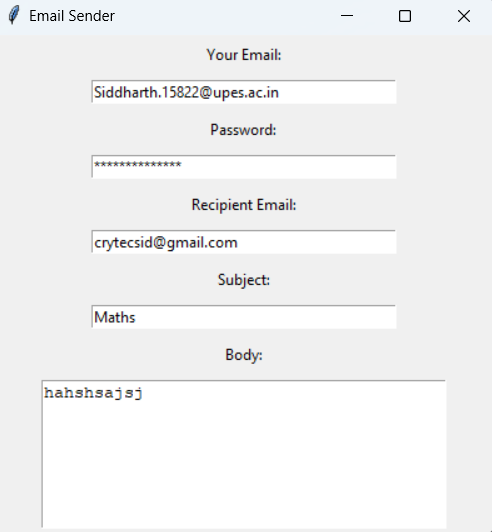
Example ScreenShots
Interface
Desired Result
🛠️ Installation and Setup
Prerequisites
- Python 3.8 or later: Download Python
- Required Libraries:
Install the required library using:
pip install tk
Setup Instructions
- Clone or download this repository:
git clone https://github.com/Sid-cloud13/Mail_Sender.git cd email-sender - (Optional) Set up environment variables for security:
export SENDER_EMAIL="your_email@example.com" export EMAIL_PASSWORD="your_password" - Run the script:
python email_sender.py
🚀 Usage
- Launch the application by running the script.
- Enter the following details:
- Your Email: The sender’s email address.
- Password: The password for the sender’s email (use app-specific password for Gmail).
- Recipient Email: The recipient’s email address.
- Subject: The email subject.
- Body: The content of the email.
- Click the Send Email button.
- Success or error messages will be displayed in a pop-up dialog.
📂 File Structure
.
├── email_sender.py   # Main application script
├── README.md         # Documentation
└── requirements.txt  # Python dependencies
🔒 Security Notes
- App Passwords for Gmail:
- If using Gmail, enable 2-Step Verification and create an App Password. Learn how to create an app password.
- Environment Variables:
- Avoid hardcoding sensitive information like email passwords.
- Use environment variables to securely manage credentials.
🤔 Troubleshooting
- Authentication Error:
- Ensure the email and password are correct.
- For Gmail, use an App Password instead of your regular password.
- Connection Issues:
- Verify your internet connection.
- Ensure the SMTP server (
smtp.gmail.com) and port (587) are accessible.
- Invalid Email Format:
- Double-check the sender and recipient email addresses.
💡 Future Enhancements
- Add support for attachments.
- Provide an option for HTML-formatted emails.
- Enable integration with multiple email services (e.g., Outlook, Yahoo).
- Implement OAuth2 for improved security.
❤️ Acknowledgments
- Python community for excellent libraries and resources.
- Gmail SMTP for email delivery support.
Feel free to contribute, suggest features, or report issues! 😊